I have been using Omarchy for almost a year now.
Almost from the day it came out, which is either a sign of curiosity or a sign that I enjoy experiments. Maybe both.
Before Omarchy, I was using Omakub for a few months. Before that, I was using Arch as my OS for about two years, along with a Mac because work exists and sadly companies do not run on my Linux feelings.
So this is not my first “I installed Arch and now I have opinions” article. Well, technically this is a video that I’m turning into an article too since I wanted to share this here as well.
if you prefer watching the youtube video instead, you can check it out here.
But after a year, I think Omarchy has become one of the best things I have done for my learning setup.
That sounds dramatic if I say it like a distro review. I do not mean it that way.
The useful thing about Omarchy for me is not that it made me better at Linux. It made Linux boring enough that I could use this machine for the thing I actually care about right now: learning and doing.
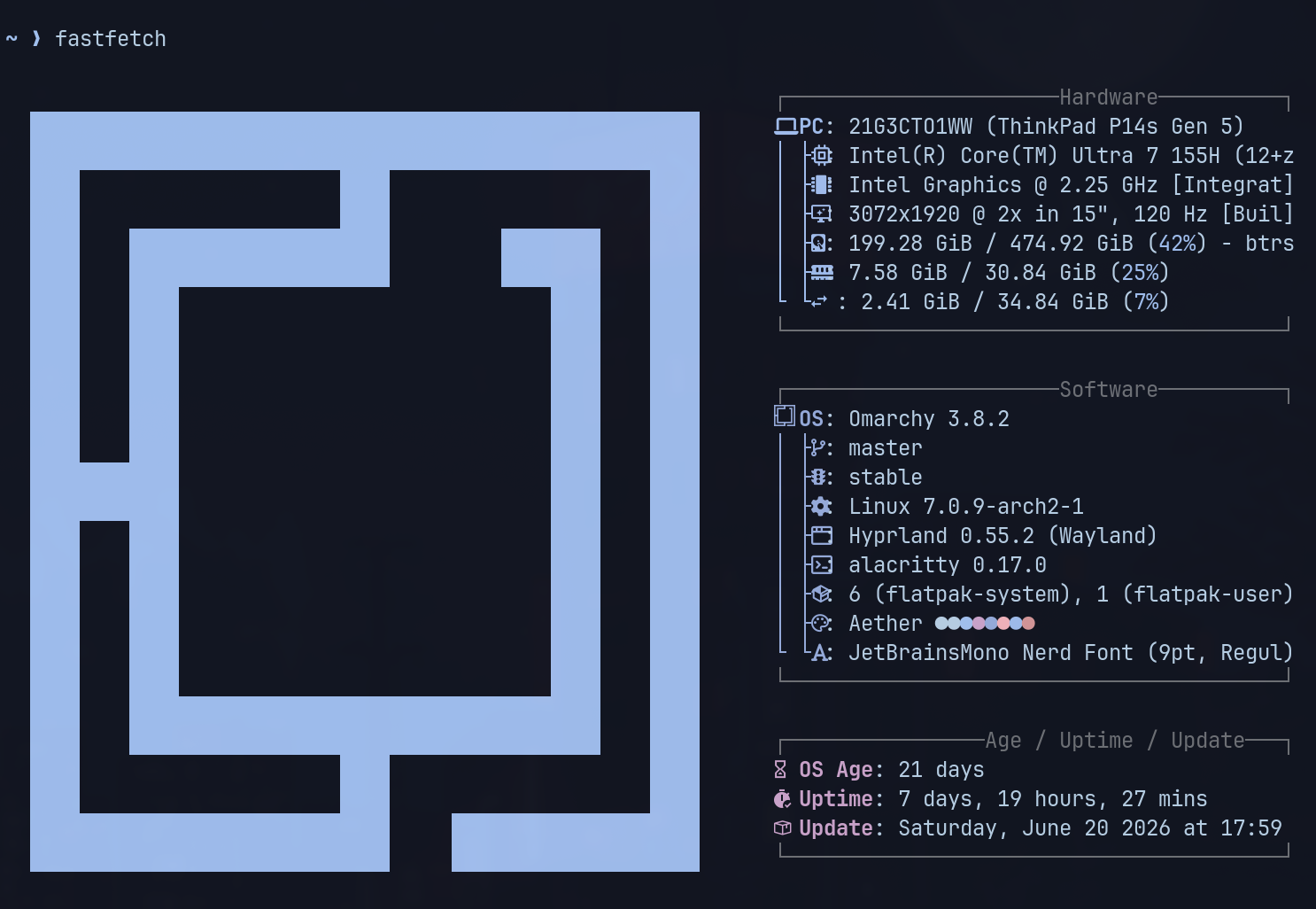
I also changed my laptop btw
Right before this laptop, I was using an Asus Zephyrus G16.
It had a better GPU(RTX 4050) and the processor was bonkers as well, i9 13th gen. It was powerful, beautiful, and slightly too much laptop for how I actually wanted to use this machine.
Now I am on a smaller machine (14 inch instead of 16) with an Ada 500 GPU, which I mostly keep off. I use it in integrated mode almost all the time through “envycontrol” because battery matters more to me here than GPU power.
That probably sounds like a downgrade on paper.
In practice, it made the laptop more useful and I find myself using it more and more, especially moving around the house with the laptop. Which was tough with a 16 inch one which weighed more than 2kg. I know, I know…first world problems..boohoo, look at me, how difficult my life is with a premium laptop. But it is what it is, so we deal with it and move on.
Anyways, this one is lighter, smaller, easier to move around with, and the battery backup makes a real difference. I can sit somewhere else, read, code, take notes, play around with an agent workflow, close the lid, come back later, and continue.
That portability changed how I treat the machine.
It stopped being a powerful Linux laptop that I occasionally used. It became the laptop I reach for when I want to learn something properly.
I do not use this as my everything machine
I use a Mac for work. I have a PC for gaming, which these days I rarely do. This laptop is mostly my learning machine.
That separation helped more than I expected. I recently wrapped up my master’s in data science and machine learning. I work as a GTM engineer in AI security and governance. I am trying to get better at backend engineering. I am reading more around systems, AI security, model evaluation, prompt injection, benchmarking, and whatever else falls into the “I probably need to understand this better” category.
So this machine has a specific job.
It is where I learn Rust. It is where I do boot.dev. It is where I learn via CodeCrafters projects. It is where I read papers, save notes, track effort, run small agents, try workflows, and break things in a way that does not threaten my work machine.
That is the difference between a setup and an environment.
A setup is what you install.
An environment is what your machine makes easier to do repeatedly.
For me, Omarchy became useful because it helped the second thing happen.
Rust, backend, and asking GPT to not give me the answer
A few days ago I started learning Rust through CodeCrafters.
I did not start by going through syntax in the cleanest possible order. Maybe I should have. I know there is a correct version of this story where I patiently learn the language fundamentals first and only then touch the project.
That is not what I did.
I jumped into the actual project - to build an interpreter in Rust.
I have gone through Python. I have gone through JavaScript. I play around with APIs anyway. So I wanted to feel the problem first and then let the syntax become annoying in context.
The important part is how I use GPT while doing this.
I do not want it to just give me the answer.
I set it up as a Socratic teacher. The instruction is basically: do not solve this for me, guide me toward the answer. If I am stuck, give me a direction. If I am missing a concept, explain that concept. But do not turn the whole exercise into copy-paste code scenario. I’ve instructed it to not give me the exact answer unless I ask it 7 times, 7th time is the charm basically.
This has worked surprisingly well.
It is also where having a dedicated learning machine helps. The terminal, editor, browser, notes, and agent workflows all live in the same place. I can be in the middle of a Rust problem, ask for help, save the thing I misunderstood, log the effort, and keep going.
My AI agents are useful because they have boundaries
I have a couple of agents running on this laptop.
None of them are magical “do my entire life” agents. I am not connecting them to everything I own and hoping that they don’t rack up a $100k bill on my account.
One of them is more like a life management and effort tracking agent. I tell it what I worked on, and it logs that into Obsidian. I also use that one for general riffing of ideas etc. And since it uses context as well as my Obsidian vault as memory, it has a ton of context and gets me good enough answers.
For example, I can say something like:
“Please log 20 minutes of coding through boot.dev on functional programming, enums, sum types, and union types.”
Then it writes that into my effort tracking notes.
The key part is that its not connected to email, messaging, or random accounts. I work in AI security and governance, so I am very careful about where I give access and how much access I give.
This is probably the most useful change in how I use AI now.
A year ago, I mostly cared whether an automation worked.
Now I also care what it can read, what it can write, where the data goes, and how bad the blast radius becomes if I design something stupid.
Obsidian now is the middle layer of this whole system
Most of the learning system eventually lands in Obsidian.
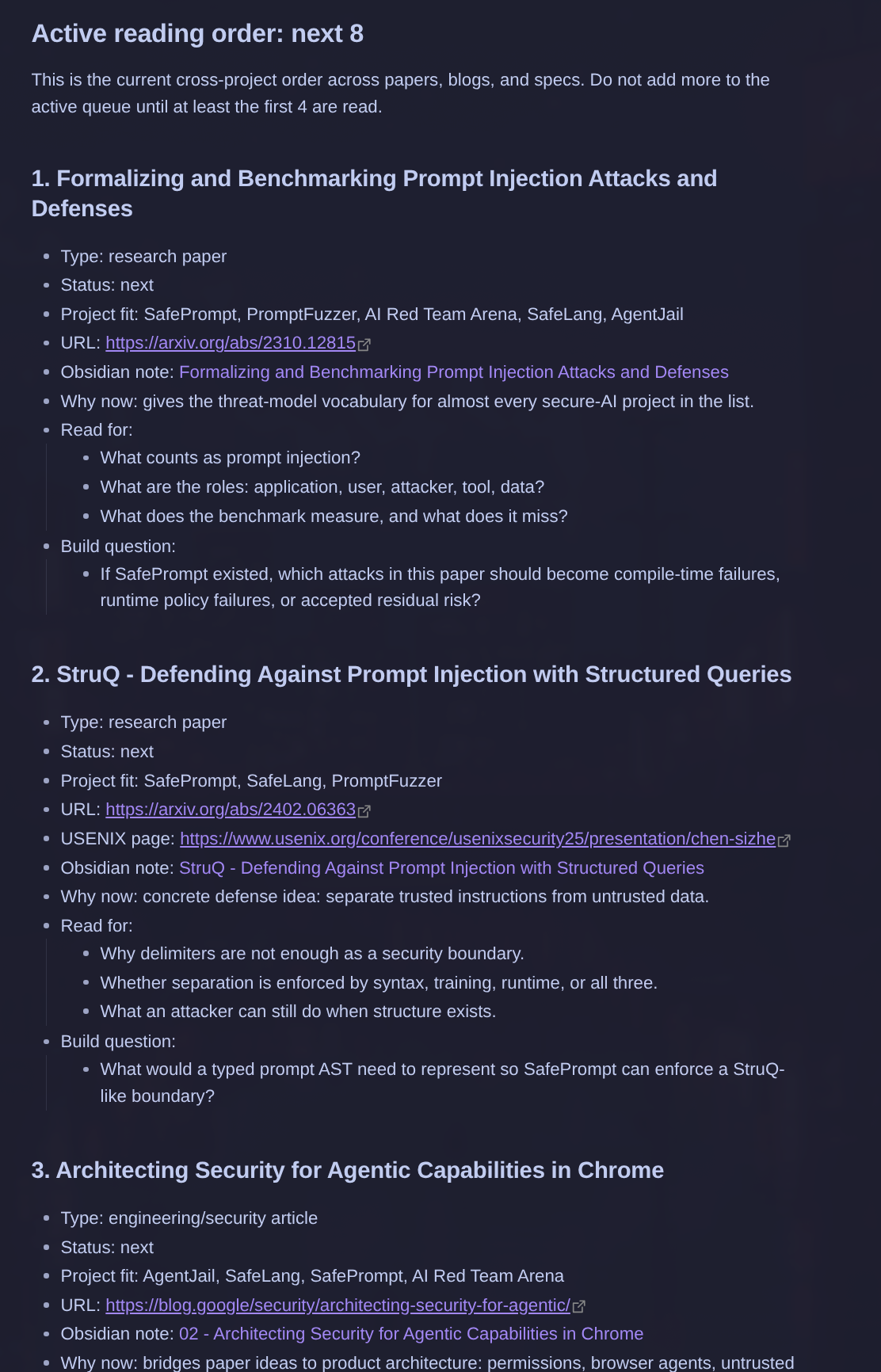
I have effort logs. I have daily notes. I have reading plans. I have research papers linked out to Zotero. I have goals for the next six to nine months. I have project ideas and reading lists that connect to those goals.
This is where the second agent, research helps me out.
The research agent looks at my current goals and helps me build reading lists around them. Blogs, specific articles, research papers, and the order in which I should read them.
Right now that includes AI security papers, prompt injection, benchmarking from a red teaming perspective, and computer systems reading because I am also trying to get better at backend and systems programming.
I do not want the agent to dump the internet into my notes.
The useful part is the back and forth with the agent. It helps me narrow the list, connect it to the projects I actually want to build, and decide what is worth reading now versus what can wait.
That is where this whole setup feels to me less like a Linux rice and more like a personal learning loop.
Very glamorous. Basically a bunch of markdown files and anxiety.
Zotero is still boringly good
I have been using Zotero for more than two years now, especially through my master’s to go through research papers and e-books that we had access to from the college library.
I still use it for research papers.
The difference is that the paper topics have changed quite a bit now. Earlier it was more data science and machine learning coursework. Now it is more AI security, governance, prompt injection, evaluation, and red teaming.
Obsidian is where I plan and connect things.
Zotero is where I read and manage the papers.
I like that split. I do not need one tool to become the center of my entire existence.
The Linux laptop is just where all of this come together for me.
Blogwatcher and reading feeds help me avoid random reading
I also use Blogwatcher through Hermes.
The basic idea is simple: I add blogs I trust or want to follow, and then use the research workflow to help me pick what actually fits my goals.
For example, I like the Netflix engineering blog. But I do not want to read things only because they are new. I want to read things that connect to what I am currently trying to understand.
The internet is very good at making everything feel urgent. A learning plan should probably resist that a little.
So the agent helps me sift through blogs and papers based on my current goals. Computer systems. Backend. AI security. Benchmarking. Red teaming. Workflow automation. The stuff I am trying to build toward over the next few months.
This is one of the places where AI is genuinely helpful to me.
It does not replace reading.
It helps decide what deserves reading.
I still want local models, but they are not really there yet
I have tried running some of this with local models.
I want that to work. I like local-first tools. I like knowing where the data is going. I like being able to run things without sending every thought to someone else’s server.
But the reality is that this machine is limited.
It has 32 GB of RAM, which is decent, but the GPU is not the best for larger local agents. I can run smaller things, and I want to experiment more with smaller models, but for now my main research workflow runs on GPT 5.5 and my daily management-style workflow uses a smaller GPT model.
That is the current tradeoff. I prefer local when I can.
I use cloud models when the quality difference is big enough.
And I try to design the workflow so the model only gets the access it needs.
That is not perfect security. Obviously. My laptop is not a temple.
But it is better than pretending convenience has no cost.
The actual Omarchy part is mostly boring, which is a compliment
Most of my Omarchy setup is still close to default.
I use Neovim. I changed some theme things. I played around with borders and animations. I used Mac-like animations for a while, then removed them. I use Aether to modify the theme.
The wallpaper comes from Freepik. Aether can extract colors from the wallpaper, so I used that as the base color theme for the desktop.
For coding, I use Rose Pine.
I like the yellows, pinks, and greens. It works for me. I do not have a deep philosophical reason for this. That is more or less my customization story.
The funny thing is that the less I obsess over the setup, the more useful the setup becomes.
I know this is illegal to say on the internet, but at some point the best Linux setup is the one you stop constantly reconfiguring.
What still annoys me about Omarchy
The fingerprint scanner is flaky after hibernate.
Most of the time I hibernate instead of turning the machine off. I restart once in a while because I am still technically a responsible adult, at least in this one specific category.
But with Omarchy, or maybe the specific hardware and driver combination, the fingerprint scanner sometimes stops being recognized after hibernate. It says the scanner has been disconnected and it is not a dealbreaker.
It is just annoying at times.
There are also the local model limitations I mentioned earlier. I want to run more locally, but I cannot pretend this machine is something it is not. The battery-focused integrated GPU life is great for learning and writing.
That is fine.
A learning machine does not need to be the strongest machine I own.
It needs to be the machine I actually use.
Yes, I use Arch by the way
There is always a weird debate around Omarchy.
Is it a distro? Is it a script? Are you a real Arch user if you use it? Did you personally compile your breakfast this morning or are you even allowed to open a terminal?
I do not care that much.
Yes, I use Arch by the way.
There. Happy?
The reason I like Omarchy is that it gives me a good Arch-based environment without forcing the setup itself to become the main hobby.
I have done the Arch thing. I have broken things. I have fixed things. I have spent enough time learning from the pain.
Right now, I want the machine to support a different kind of learning.
Rust. Backend. Systems. AI security. Reading papers. Building workflows. Understanding how agents fit into a real personal system without giving them absurd permissions.
Omarchy helps me do that.
That is enough.
After one year, the OS is not the main character
If I had to summarize my one-year review, it would be this:
Omarchy became useful when it stopped being the thing I was paying attention to.
The first layer is the OS.
The second layer is the tools: terminal, Neovim, browser, Obsidian, Zotero, Hermes, Blogwatcher, cron jobs, GitHub backups.
The third layer is the habit: read, code, log, reflect, adjust, repeat.
That third layer is the actual point.
A Linux setup can easily become a place to perform technical identity. Themes, screenshots, dotfiles, “real user” arguments, all of that.
I still enjoy the aesthetic side. I like a nice desktop. I like a good editor theme. I am not above caring about how the machine looks.
But after a year, the reason I value this setup is much more practical.
It has become the machine where I learn.
And I think that is the best compliment I can give an OS.
It got out of the way enough for the work to become visible.